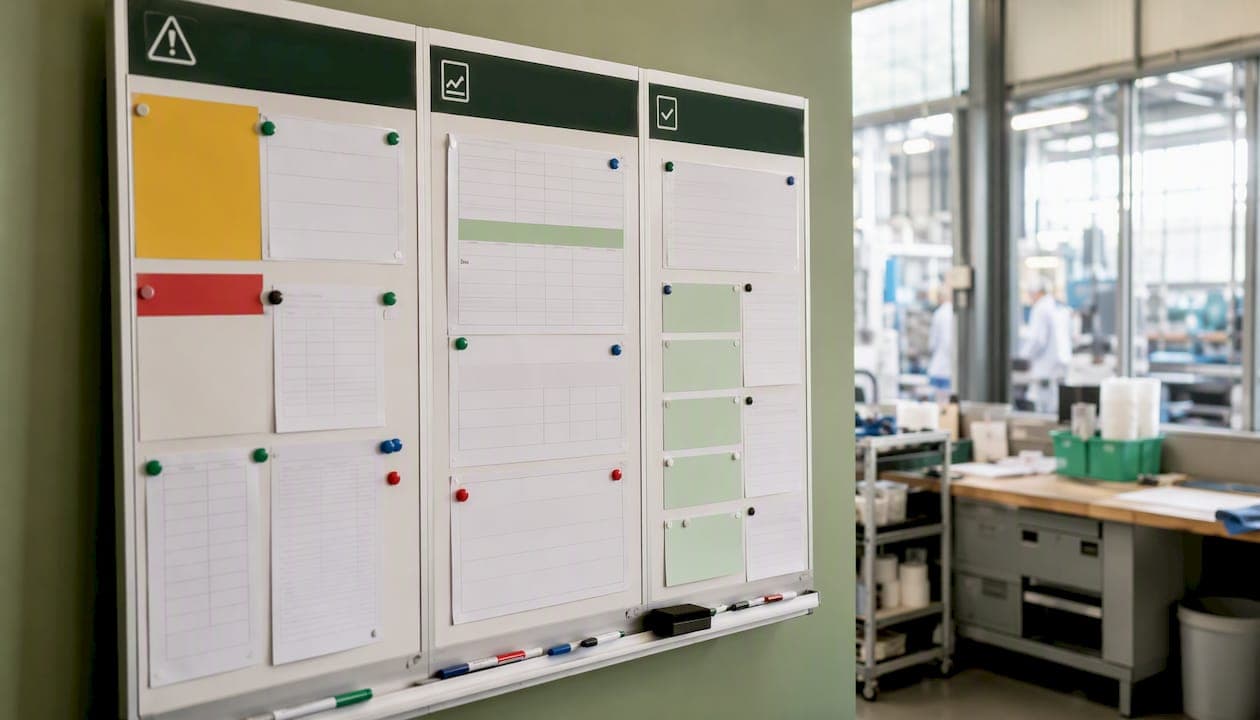
A production meeting agenda is a timeboxed control system of about fifteen minutes. It starts with a safety check, reviews three anchor KPIs (output vs. target, first-pass yield or scrap, on-time shipments), confirms today's plan, closes open actions, and ends with every new issue assigned to a named owner. That structure, demonstrated to fit in a roughly fifteen-minute window in practice(https://www.sharpenmfg.com/blog/daily-production-meeting), is the whole game.
Run your next meeting with this template:
- Safety (1 min): Any near-misses or hazards from the last shift?
- Yesterday's three numbers (3 min): Output vs. target, scrap/rework rate, on-time shipments
- Today's plan (3 min): Volume target, scheduled changeovers, known constraints
- Open actions (5 min): Status update on each item; close or escalate
- New items (3 min): Assign an owner and due date to anything new; schedule breakouts for technical problems
Print that list, pin it to your line board, and run it tomorrow morning without specifying exact timing.
Key Takeaways
A disciplined production meeting agenda, run daily with named owners and a strict 15-minute timebox, is the fastest way to reduce repeat issues and improve action-closure rates on the floor.
| Point | Details |
|---|---|
| Use the 15-minute template | Run safety, three numbers, today's plan, open actions, and new items every day. |
| Update the board before the meeting | Every metric field must be current before the first attendee arrives. |
| Enforce named owners | No issue leaves the meeting without a specific person and a due date assigned. |
| Schedule breakouts, not debates | Technical problems get an owner and a separate session; they never get solved in the daily meeting. |
| Pilot Gembalabs for one line | A 6-week automation pilot on one line reduces prep time and improves board accuracy from day one. |
Table of Contents
- What should a production meeting agenda include?
- Who should attend, and how often should you meet?
- What data do you need to prepare before the meeting?
- How do you run a meeting that controls the floor instead of just reporting on it?
- Three ready-to-use sample agendas
- How do you track actions so nothing slips between meetings?
- How can software automate your meeting prep?
- Your one-page checklist and chair script
- What actually changes when you run this meeting every day
- Gembalabs turns overnight data into a meeting-ready board
- Sources
What should a production meeting agenda include?
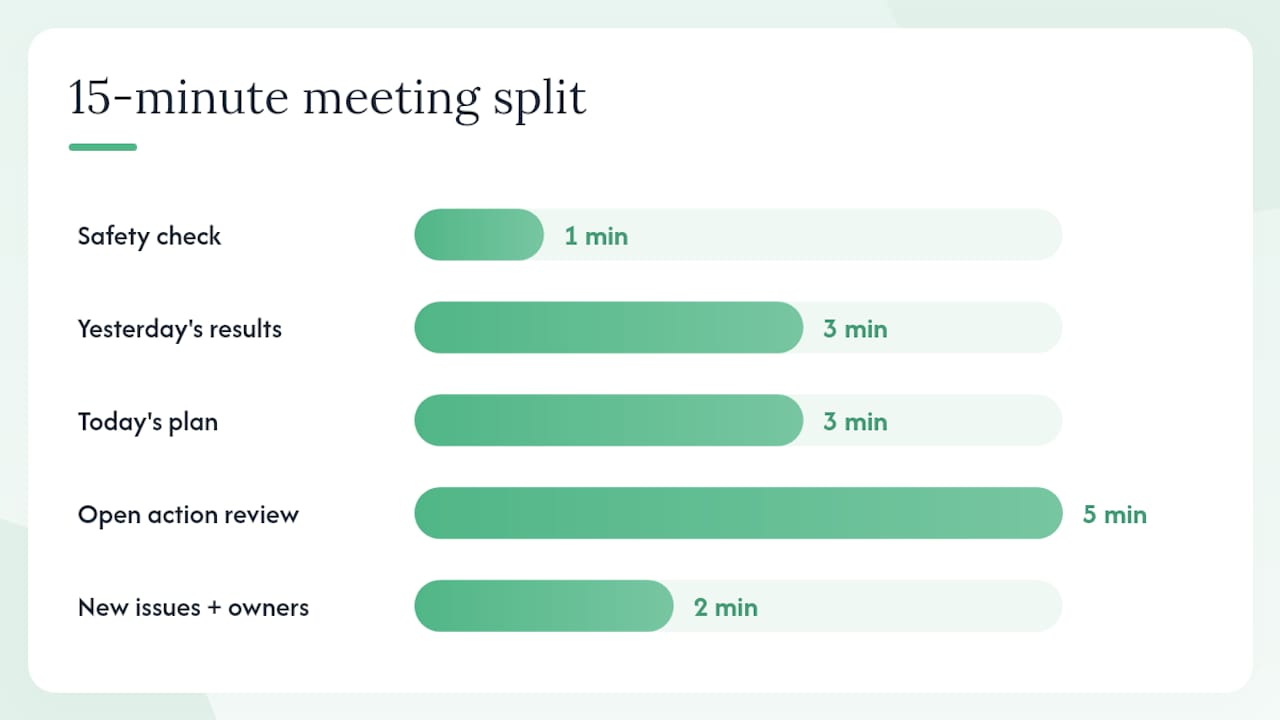
A full timed agenda gives every attendee a clear role and prevents the meeting from drifting. The table below shows the standard 15-minute daily format, including who speaks and what the visual board must show before the meeting starts.
| Agenda Item | Time | Speaker | Board Field |
|---|---|---|---|
| Safety check | 1 min | Chair | Near-miss log, open safety actions |
| Yesterday's results | 3 min | Production lead | Output vs. target, scrap %, uptime % |
| Today's plan | 3 min | Planner/scheduler | Volume target, changeover schedule |
| Open action review | 5 min | Scribe reads; owners respond | Action log: owner, due date, status |
| New issues + owners | 2 min | Chair | New row added to action log |
| CI spotlight (optional) | 1 min | Rotating | CI board or improvement card |
Per Aziz Bamar's daily management framework, the board owns the data and the meeting owns the decisions. That means every field above must be updated before the first person walks in, readable in under 60 seconds, and never explained from scratch during the meeting.
For a smaller facility running one line, you can compress the "today's plan" and "open actions" items to two minutes each and finish in under 12 minutes. A multi-line plant with a QA hold or a maintenance issue will naturally use the full 15. Either way, the CI spotlight stays optional and gets cut first on heavy days.
Pro Tip: Use a four-week rollout: design week (build the board), soft launch (run the format loosely), tightening week (enforce the timebox), inspection week (audit action closure). Forcing the format on day one destroys morale.
The ClickUp food-processing meeting agenda template includes fields for Topic, Presenter, Time Allotted, and Discussion Points — a useful starting point you can adapt to the structure above.
Who should attend, and how often should you meet?
Keep the daily meeting to 5–8 people. Every seat at the table must carry decision authority for its function, or the meeting stalls waiting for approvals that should happen in the room.
Recommended attendees for the full daily meeting:
- Chair: Operations manager or production lead; owns the timebox and assigns owners
- Scribe: Rotates weekly; updates the action log in real time
- Production lead: Reports yesterday's numbers and today's constraints
- QA representative: Reports first-pass yield, holds, and any customer complaints
- Maintenance lead: Reports downtime events and scheduled PMs
- Materials/logistics: Flags supply shortages or delivery delays affecting today's plan
- Planner: Confirms the schedule and any priority changes
When a function's representative is absent, the chair either gets a written update before the meeting or notes the gap as an open action. A meeting that waits for missing people trains everyone to be late.
For second and third shifts, a short handoff huddle replaces the full meeting. The outgoing lead covers three things: what ran, what broke, and what the incoming shift needs to know. Full cross-functional attendance is a first-shift discipline.
The weekly review is a separate session of moderate duration for trend analysis, root-cause follow-ups, and resource decisions. It is not a longer version of the daily meeting.
Pro Tip: If a senior leader attends, brief them beforehand that the format is fixed. A VP who turns the daily meeting into a strategy session will undo weeks of discipline in one visit.
What data do you need to prepare before the meeting?
The meeting should never be the place where someone discovers a number for the first time. The board must be updated by the end of the prior shift, and a daily production report should be distributed at least 30 minutes before the meeting starts.
Pre-meeting checklist:
- Output vs. target (units or weight produced vs. scheduled)
- First-pass yield and scrap/rework volume
- Uptime and downtime by equipment (or OEE if your system calculates it)
- On-time shipment rate for the prior day
- Open action log with updated statuses
- Any quality holds, customer complaints, or regulatory flags
| Metric | Preferred source | Minimum data rule |
|---|---|---|
| Output vs. target | MES, line counter, or operator log | Visible in under 60 seconds |
| Scrap/rework | QA system or paper tally | Expressed as % of total run |
| Uptime/downtime | Equipment sensor or maintenance log | Minutes down per line, per shift |
| On-time shipments | ERP or shipping log | Prior day's dispatch vs. schedule |
| Open actions | Action log (shared doc or board) | Owner and due date on every row |
Visual boards aligned to agreed KPIs helped a food co-manufacturer reduce scrap and get departments working from the same numbers. The board is not decoration. It is the single source of truth that makes the meeting short.
How do you run a meeting that controls the floor instead of just reporting on it?
The chair's job is not to present data. It is to surface decisions, assign owners, and cut off anything that belongs in a breakout.
Core chair rules:
- Start on time, every time, regardless of who is missing
- Read each open action aloud; the owner gives a one-sentence status
- If a status is "in progress" for the third meeting in a row, escalate it
- Never let a technical problem get solved in the room
That last rule comes directly from Aziz Bamar's production meeting framework: when discussion drifts into root-cause analysis or engineering detail, the chair names an owner and schedules a separate breakout. The daily meeting is not the place to fix a filler malfunction. It is the place to confirm that someone owns fixing it and that a time is set.
Pro Tip: Keep a sticky note on the board that reads "Name an owner. Schedule a breakout." When a technical tangent starts, point to it. It works better than interrupting.
When senior management attends, the chair should open by stating the format and the timebox. "We run 15 minutes, fixed format. If something needs deeper discussion, we'll schedule it." Most leaders respect that once they hear it said plainly.
Three ready-to-use sample agendas
Shift handoff (5 minutes)
- What ran last shift and the final output number (1 min)
- Any equipment issues, quality holds, or safety events (2 min)
- What the incoming shift needs to complete today's plan (1 min)
- One open action to hand off, with owner confirmed (1 min)
Standard 15-minute daily production meeting
- Safety check: near-misses, open hazards (1 min)
- Yesterday's three numbers: output, scrap, on-time (3 min)
- Today's plan: volume, changeovers, constraints (3 min)
- Open action review: status, escalate overdue items (5 min)
- New issues: assign owner and due date (2 min)
- CI spotlight, optional (1 min)
Weekly operational review (45–60 minutes)
- Safety trend: week-over-week near-miss and incident count (5 min)
- KPI trend charts: output, yield, OEE, on-time over the past 7 days (10 min)
- Root-cause follow-ups: status of breakout sessions opened during the week (15 min)
- Resource decisions: staffing, materials, maintenance scheduling (10 min)
- CI spotlight rotation: one improvement project presented by its owner (10 min)
- Action log review: close completed items, escalate overdue ones (10 min)
The weekly review is where you catch patterns the daily meeting surfaces but cannot solve. A recurring downtime event that appeared three times in daily meetings gets its root-cause session scheduled here.
How do you track actions so nothing slips between meetings?
No open issue should leave the meeting without a named owner and a specific deadline. That single rule, applied without exceptions, is what separates a control system from a venting session.
Action log fields (minimum required):
- Action description (one sentence, specific)
- Owner (first and last name, not a department)
- Due date and time
- Status: Open / In Progress / Closed / Escalated
- Source meeting (date)
- Resolution notes (what was done, evidence for audit)
An action is "closed" only when the resolution note is written and the evidence exists. "I fixed it" is not a closed action. A photo of the repaired seal, a QA sign-off, or an updated SOP is. That distinction matters for audit-ready production records and for any FDA or SQF review.
How can software automate your meeting prep?
Manual data collection before a daily meeting can consume a substantial portion of a production lead's morning. Automating even the highest-value inputs, downtime events, scrap tallies, and throughput counts, cuts that prep time sharply and improves board accuracy.
The workflow looks like this: sensors on your equipment capture cycle data and downtime events in real time; operators log rework and quality notes at the line; the system compiles those inputs overnight and updates the board fields before the first shift meeting. The chair walks in to a board that is already current.
Digital integration projects can take six weeks to a year depending on existing systems, but a focused pilot on one line can show early wins in weeks. Start with the two metrics that take the most manual effort to collect, typically downtime and scrap, and automate those first.
What to automate first:
- Downtime events: sensor-triggered, timestamped, categorized by reason code
- Scrap and rework: operator input at the line, not end-of-shift estimation
- Throughput: line counter or MES output vs. scheduled target
- Operator notes: short text field, captured at shift end, feeds the overnight report
Pro Tip: Run a pilot on one line before rolling out facility-wide. Track metrics such as time spent preparing the board and the rate of actions closed on time. Both numbers should improve within three weeks.
For context on line monitoring software options and what to look for in a food manufacturing environment, that guide covers the evaluation criteria worth knowing before you commit to a platform.
Your one-page checklist and chair script
Pre-meeting checklist (complete before the meeting starts)
- Board updated with yesterday's output, scrap %, uptime %, and on-time rate
- Action log reviewed; statuses current
- Any quality holds or safety flags noted on the board
- Pre-read distributed at least 30 minutes before start time
- Chair has reviewed open actions and flagged any overdue items
Chair script
Opening (30 seconds): "Good morning. We have 15 minutes. Safety first — any near-misses or open hazards from last shift?"
Numbers (3 minutes): "Production lead, yesterday's three numbers." [Production lead reports.] "Any variance from target that needs an owner today?"
Today's plan (3 minutes): "Planner, what are we running and what are the constraints?" [Planner reports.] "Any resource gaps that need a decision now?"
Open actions (5 minutes): [Scribe reads each open item.] "Owner, one sentence on status." If overdue: "This is overdue. [Name], what do you need to close it by [date]?"
New items (2 minutes): "Any new issues? Name an owner and a due date. If it needs technical work, we schedule a breakout — not now."
Close: "That's 15 minutes. Board is updated. See you tomorrow."
Pro Tip: Print this script on the back of the one-page checklist and laminate it. New chairs stop improvising and the meeting stays consistent even when the regular chair is out.
What actually changes when you run this meeting every day
The first week feels awkward. People arrive late, answers run long, and someone always tries to solve a problem in the room. By week three, the format starts to hold itself. By week six, the board is updated before you ask, owners show up knowing their status, and the meeting genuinely ends in 15 minutes.
The more durable change is what stops happening. Repeat issues that used to surface at month-end reviews start getting caught on day two. Departments stop blaming each other because the numbers are shared and visible every morning. Action closure rates climb because public accountability, even in a small room, works.
Two warnings worth stating plainly. First, do not expand the attendee list when things get complicated. Adding people feels like it adds capability; it usually adds noise and slows decisions. Second, do not let the meeting become a performance for visiting leadership. The format works because it is consistent. One disrupted meeting trains the team that the format is optional.
Gembalabs turns overnight data into a meeting-ready board
Preparing the board manually is the part most facilities underestimate. A production lead who spends 40 minutes pulling numbers before a 15-minute meeting has the priorities backwards.
Gembalabs collects sensor data and operator inputs from your lines throughout the shift, then compiles them into an AI-generated intelligence report overnight. By the time your chair walks in, the board fields — downtime by equipment, scrap rate, throughput vs. target — are already populated. No manual pulls, no spreadsheet gymnastics. The report also flags recurring issues and shift-over-shift patterns your team might not catch in a single meeting.
For a small or mid-sized food facility, that means the daily meeting stays a control system instead of becoming a data-collection session. A 6-week pilot on one line is enough to see the difference in prep time and action-closure rates. See how the Gembalabs intelligence report works and request a demo to view a sample meeting report for your facility type.
Sources
- The Daily Production Meeting Agenda That Actually Works | Sharpen
- How To Run A Production Meeting That Works | Aziz Bamar - Aziz Bamar | Industrial Consultant | Lean And Operational Excellence
- Food Manufacturer Boosts First Pass Quality & Cuts Scrap with Management Systems – As One Consulting
- Ontario
- Food Processing Companies Meeting Agenda Template | Template